Having routines in math instruction is essential, especially in elementary school classrooms where young learners are building their academic foundations. Routines provide structure and consistency, allowing students to feel comfortable and confident environment and their learning. By establishing and following routines, teachers can create a positive and productive learning environment for their students. This is something I feel like the Illustrative Math curriculum really does well. Routines are embedded throughout the lessons and material.
One of the most important structures in a math lesson instruction is the warm-up activity. This is a brief activity that is done at the beginning of each math lesson to review previously learned concepts or introduce new ones. Warm-up activities can be in the form of a quick problem-solving exercise, a mental math challenge, or a math-related discussion. This is important because by starting each lesson with a warm-up activity, students are mentally prepared and ready to engage in the day’s math lesson. The same routines are used throughout the entire curriculum, and students become very familiar with the structure of the routines.
During the warm-up of each lesson in Kindergarten through Grade 5, students will engage in an activity that is one of the following warm-up routines:
Act It Out
Choral Count
Estimation Exploration
How Many Do You See?
Notice and Wonder
Number Talk
Questions About Us
True or False
What Do You Know About _____?
Which One Doesn’t Belong?
As I said, having routines in math instruction in elementary school is essential for creating a positive and effective learning environment. The IM curriculum embeds this into each lesson. By establishing and following these routines, teachers can foster a love for math and set their students up for success!
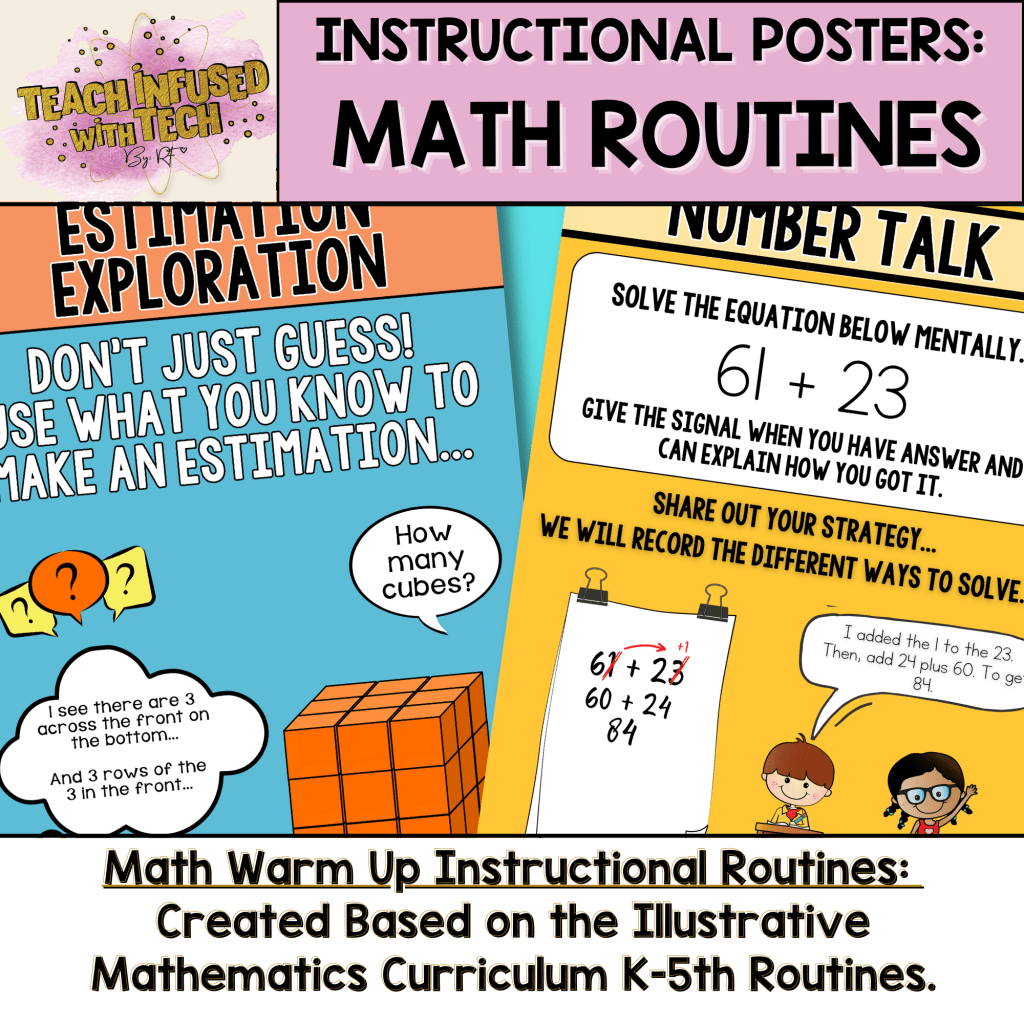
Are you using IM in your classroom? Check out the instructional posters I created to support instruction when establishing the IM Math Kindergarten through 5th Grade warm-up routines.
This resource is an instructional tool created to assist in the implementation of warm-up routines for the Kindergarten through Grade 5 Illustrative Math Curriculum.
Routines include:
✤ Act It
✤ Choral Count
✤ Estimation Exploration
✤ How Many Do You See?
✤ Notice and Wonder
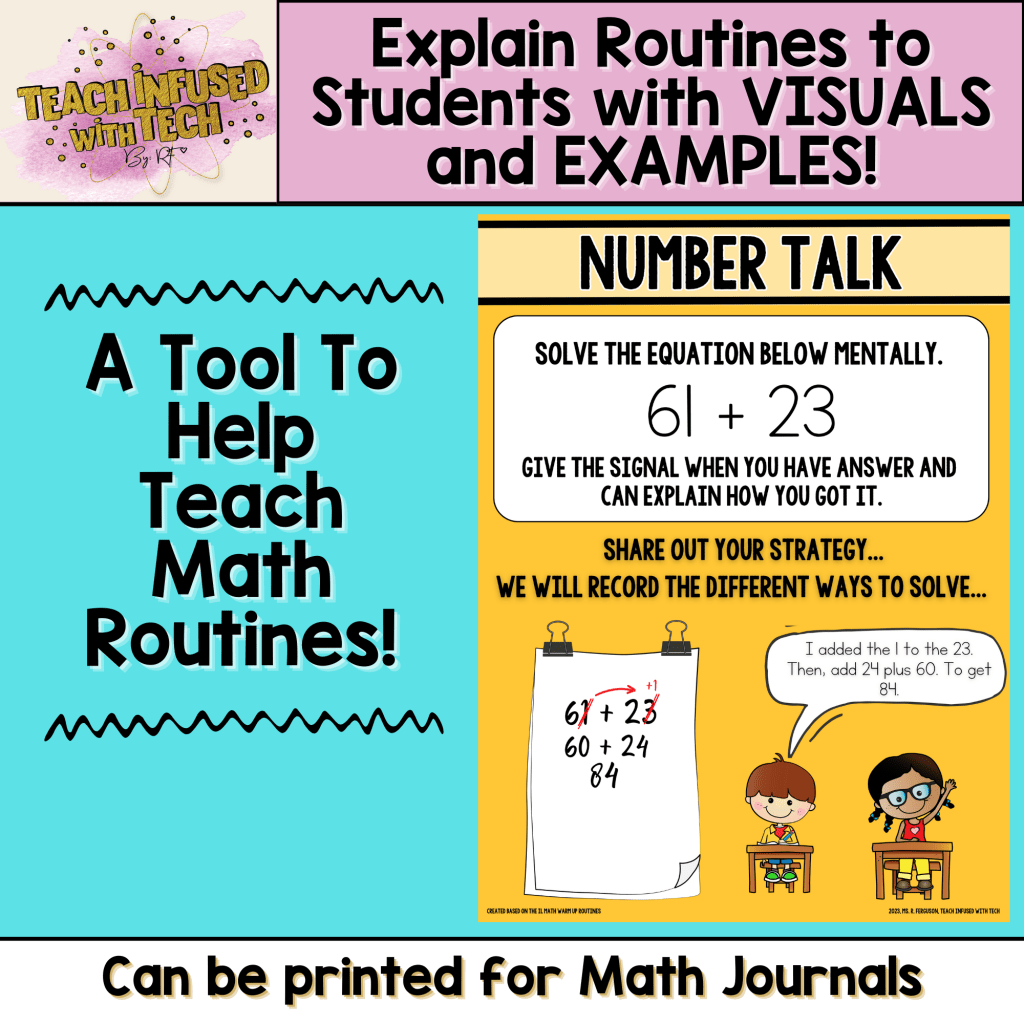
✤ Number Talk
✤ Questions About Us
✤ True or False?
✤ What Do You Know About _____?
✤ Which One Doesn’t Belong?
The posters can be displayed in the classroom as a visual reminder to integrate them daily in your instruction. Each poster contains the routine and a visual example (clip art/picture) of the practice.
The file will a non-editable PDF file with all the Math routine Posters combined into one file.
“Executive Functioning strategies help students move beyond the content being taught, so that learning is process-based and not only outcome-based.”
-Dr. Lynn Meltzer
Aftermath #2: Daily Exposure to/Need to use Executive Functioning (EF) Skills: Organizing Tasks, Scheduling Video-Conferencing Meetings, Resisting Distractions and Being Flexible
We all had to be flexible over the last 14 months. We had to persist and work through challenges and distractions (work from home parents, you feel this!) and even our youngest students had to manage schedules, task completion and “meeting” times. This situation that we were thrown into in March of 2020 tested and forced us all to use some aspect of our executive functioning skills to manage a non-traditional school day. Students no longer were physically in the classroom, having the educator to keep them on schedule for subjects, lunch, ect.
Executive Function skills are self-management skills that help all of us (adults and students) manage tasks and achieve goals. In order to be effective, we all must be able to manage our emotions, focus our attention, organize and plan our tasks and time, and reflect upon and revise our processes of managing these, especially as circumstances and environments change. I would be willing to bet that students (and adults) with stronger executive function skills were able to manage non-traditional education easier. And those with weaker executive functioning skills, struggled more with the changes and managing their own learning. Regardless of how successfully, or unsuccessfully, your EF skills played a role in the last 1.5 years, they were tested and utilized in some way. Now we have an opportunity to create classroom processes and procedures that help foster, refine and enhance the building, continuation and progression of EF Skills in students.
Opportunity #1: Use a Blended Classroom Model (Digital and Paper Based Tools) to Foster, Refine and Enhance the Continuation of Building EF Skills such as Time Management, Task Completion and Project Planning to Build Self-Starting, Prepared and Resilient Learners.
First of all, let’s review, specifically, some key executive functioning skills students (and adults) need to be successful in reaching goals. I will also list some tools, procedures and/or practices you can have/use digitally, or pen and paper to foster EF foundational skill development and support in your elementary classroom.
Self-regulation: Students need to be able to manage strong emotions and inhibiting impulsive behaviors. Utilizing morning check-ins (digital, paper or meeting), sharing out, journals, behavior sheets, self-reflection sheets (behavior and skill-based) can all help students build and develop self-regulation skills.
Managing time: Students need to be able to manage their time to complete tasks and allow the time needed to sufficiently be able to plan their task. Having clear posted schedules, using agendas, Google Calendar, digital timers for tasks and/or assignments can help keep time management in the forefront. (A freebie I provided below is a great tool for this!)
Attention: Students must be able to sustain focus, especially for multi-part and long term tasks, to be successful. Many students will need additional supports in this area. Ways to help practice this skill is to have have scheduled breaks, clear expectations, chunking assignments, visual reminders.
Task Initiation: Starting a task, especially a non-preferred task, is difficult at times for students, but sometimes it is more about not understanding the expectations or directions. Ensuring you are providing students with clear directions, instructions, expectations and assistance like stems and starters along with check-ins can help students get started on a task.
Organization: Organizing supplies, materials, and communications, at home and in school, is crucial to success. Having an organized classroom, clear posted expectations, and providing students with explicitly taught and practiced systems can help support and teach them organizational skills. (A freebie I provided below is a great tool for this!)
Reminders and Planning: Remembering objects as small as a book needed to read for an assignment this week, or mapping out multi-step tasks such as longer-term projects, or having reminders and plans is a key skill students will use in academics, and life skills. Checklists, agendas, notes cards, mind-maps are all tools that are great to use as processes for remembering and planning tasks. (A freebie I provided below is a great tool for this!)
Executive Functioning skills are crucial in success of staying on track and meeting goals. These are not innate skills. Much like math, and phonics, they need to be MODELED, TAUGHT and PRACTICED! It is our job as educators to help students develop, practice and employ these important processes and life skills to prepare to be successful in reaching all the goals they set and strive for in their career and lives.
Free Resources from Me to You
I am going to provide you with three FREE digital resources to look over and think about if they could be incorporated into your instruction and classroom this fall that can help support EF skills in students. Click on the link after each resource to be directed to my Teachers Pay Teachers Store to download the free product.
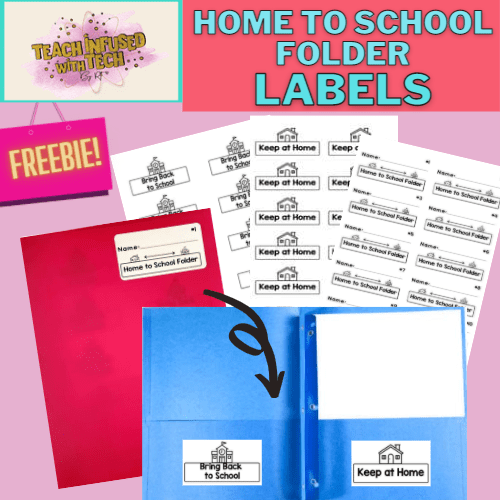
1. Take Home Folder Labels and Directions
This resource is a set of folder labels to create a home-to- school folder. Students can easily organize papers and communications to go home, separating what they need to bring back to school and what needs to be kept at home .
This resource includes: 30 name labels numbers 1-30, 30 “Bring Back To School” labels and 30 “Keep at Home” labels to create a whole class set (up to 30) of take home folders.
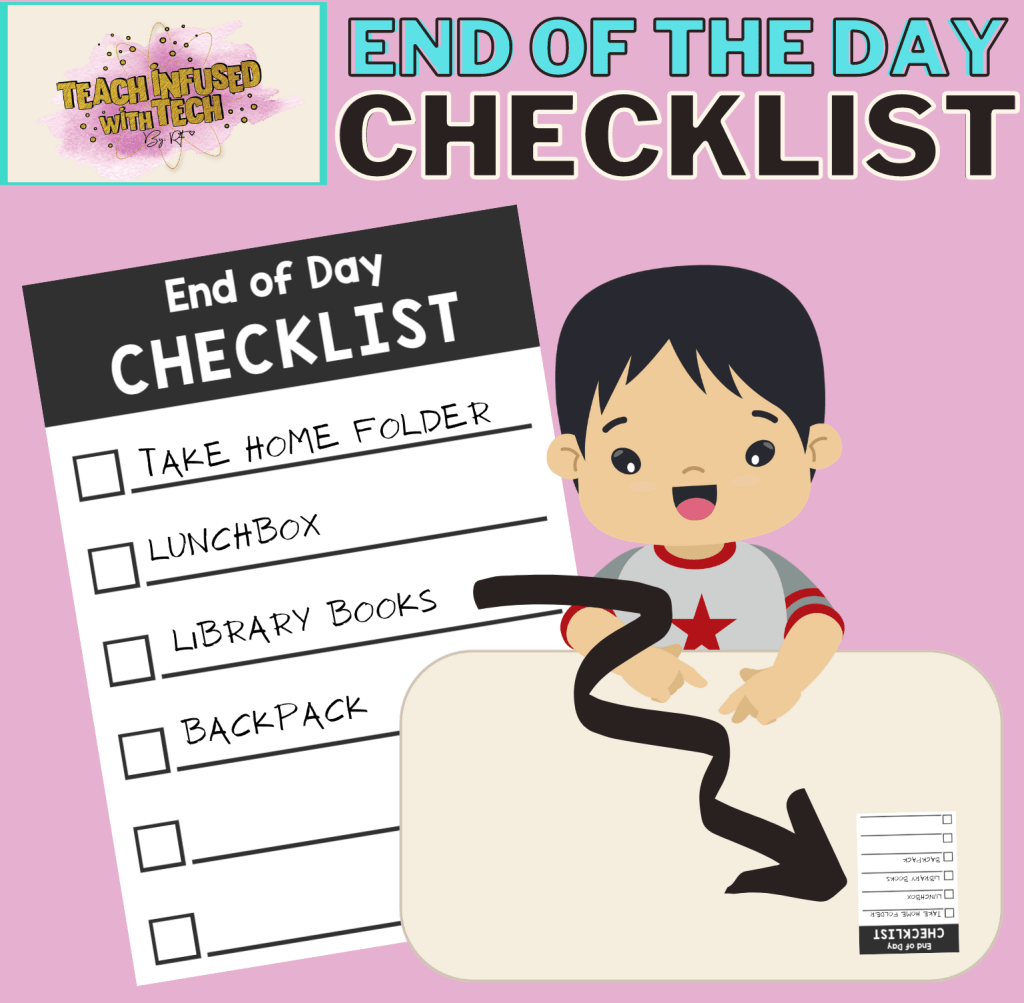
This resource is a template for an end-of-the-day checklist that can be attached to desks. This checklist can serve as a visual cue / reminder of items that need to be remembered at the end of the school day.
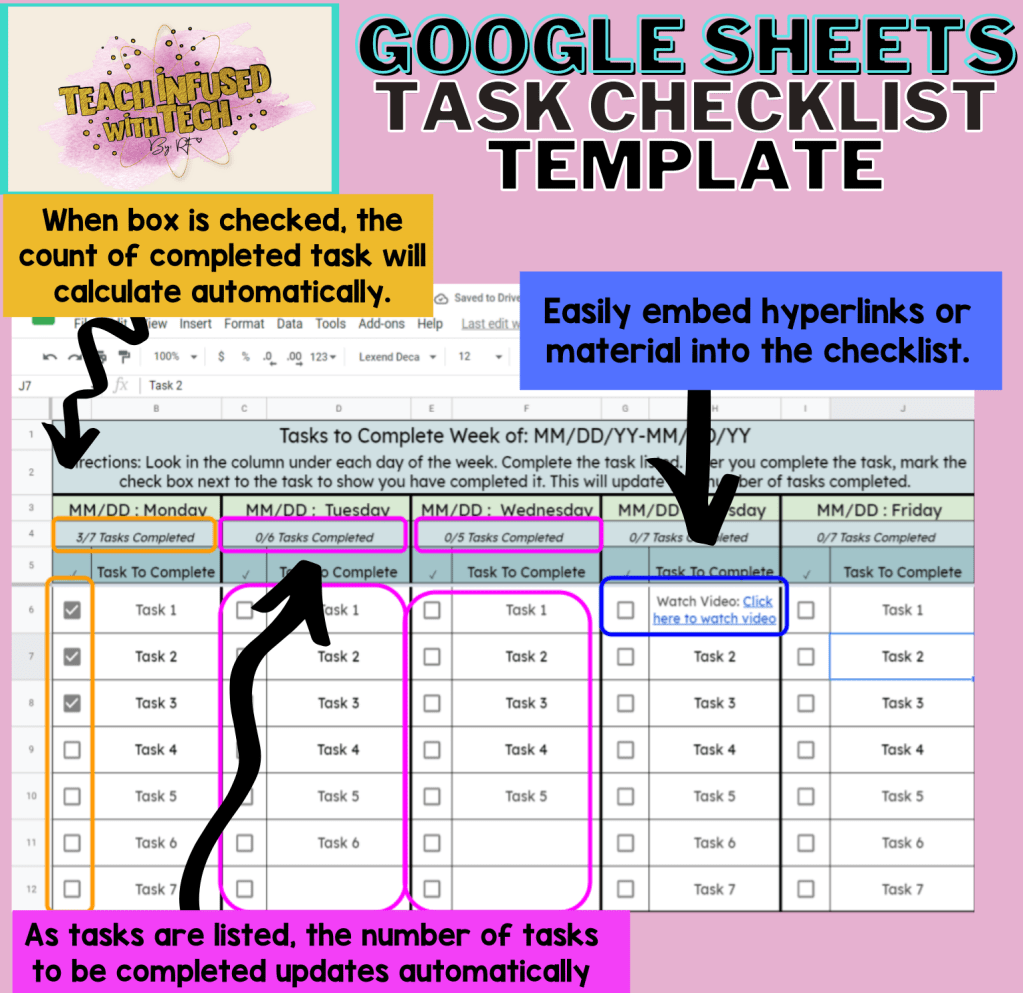
This resource is a Google Sheets Task Checklist Template to create a weekly task checklist. Students can easily see what needs to be done, check off when they have completed, and have a visual tracker to plan and organize task completion.
Academic life (let’s be honest…. LIFE) as we all knew it changed in March of 2020 for most of the country, and the world. Students, educators, school systems, state agencies, even businesses were all sent scrambling to find ways to continue through an unprecedented global pandemic. Virtual Learning, Distance Learning, Non-Traditional Education…no matter what name was assigned to the situation in your area, we all know, it was a situation! And a very traumatic one.
Educators spent days worrying about when and how they would be able to continue effectively teaching their students, and many nights were spent just worrying about the general well-being and safety of students. And the reality is, we know many, many students went through very traumatic, and uncertain times during this whirlwind. Especially in the beginning. It was hard for us as adults to know which direction to go, so I can only imagine the uncertainty that many students were feeling. However, as time moved on, the regime of a new way of schooling started to fall back into place for most of the country. Devices were distributed, systems and processes were created and as students(and teachers!) became more digitally and technologically literate, things begin to smooth out.
Now that we are on the rebound, moving back into physical spaces and places of learning, we have to start thinking about how we can meet the needs of our students. And this is a very important task for us as educators considering that student needs (academically, socially/emotionally, physically) are more scattered, and widespread gaps are larger than ever before. We must look at what we CAN do. We need to approach this fall, and this new opportunity, with a glass half full mentality so we can not only move forward, but thrive in our new “normal”.
That leads me to my motive and rationale of the ideas I am sharing in this blog post…what “good” can we derive from this “situation”? How can we turn this traumatic experience into triumphant experiences in our classrooms and schools in the fall? How can we turn aftermath into opportunity?
Coming up in my next three blog posts, I am going to identify three areas/skills that have been a biproduct of the aftermath, but stand out to me as opportunities to launch learning and improve our instructional practices and student learning experiences in our classrooms.
Coming up next…Part 1: Digital and Technological Literacy…
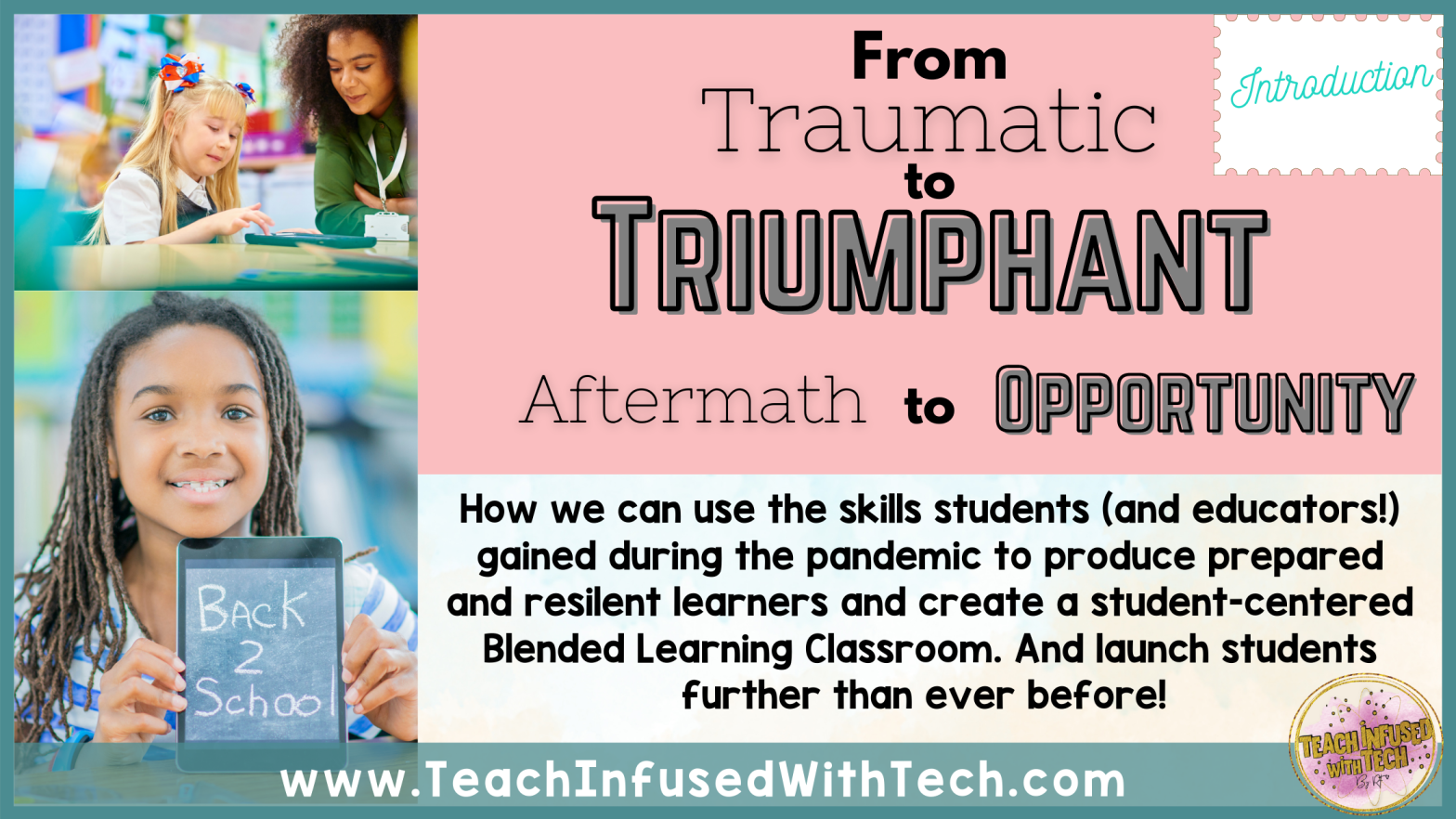
Explore how we can use the skills students (and educators!) gained during the pandemic to produce prepared and resilient learners and create a student-centered Blended Learning Classroom. And launch students further than ever before!
“To understand their world we must be willing to immerse ourselves in that world. We must embrace the new digital reality. If we can’t relate, if we don’t get it, we won’t be able to make schools relevant to the current and future needs of the digital generation.”
-Ian Jukes
Aftermath #1: Gains in Digital and Technological Literacy and Widespread Devices
I know the feeling…so much work done on the computer. Many teachers I have spoken to have stated that they “cannot wait to get back to pencil and paper”, because that is what we knew (and some students do learn better that way!). That was our “normal”…but as cliche as it sounds…we are now in a new normal. And most students are living in a much different generation and way of life going forward than we had. And many of the jobs and careers in their future are going to look much different than they did prior to March of 2020. We need to take this time to really adopt a blended learning model in the classroom.
Opportunity #1: Use a Tech-Rich Environment and a Blended Classroom Model to Improve Your Instructional Practices and Enhance Student Learning Experiences
I am not saying to completely get rid of pencil and paper. Blended Learning means a balance and blend of online and offline learning in the classroom. We do need to unplug at times, that is equally important. Especially at the kinder and primary grade levels when fine motor skills and penmanship are being taught explicitly. However, with students as young as Kinder and Pre-K able to navigate devices, learn from digital content and complete tasks digitally, we need to utilize that. We now know, students can. Yes, even the little ones, they can!
A few benefits of a Tech-Rich & Blended Model (A balance of plugged and unplugged learning experiences, projects and activities within a student-centered classroom):
Saves Paper: Trees and Money! Both the environment and the bookkeeper will appreciate the efforts.
Saves Prep Time: With many digital activities being less or no prep time at all, that gives you as an educator more time to…educate! Less time spent digging paper out of the hundreds of nooks and crannies in the copier in between bites of your lunch. (You may even have time to squeezing in a restroom break!).
Student Engagement, Individualization and Ownership: Having blended learning experiences and tech-rich instruction allows students to engage in a way that is fun and familiar to them. It also allows more individualization to different learning styles and learning needs. Students also will have more of a sense of ownership over their learning and the products they are producing to show their learning. And you, as an educator, will have more time to work with small groups and meet students where they are!
Data, Data, Data: There are so many quick and easy formative and summative assessment options when using technology to your advantage in the classroom. Many programs, or apps like Google Forms that can get data quickly to drive your instructional decisions. Not to mention, tools and templates to assist students in tracking their own data! Ownership!
Preparing Students THEIR Future: Whether we like it… agree with it…hate it… however you feel about technology “taking over”, I don’t think anyone can disagree that it is a critical and imperative part of the future. And being digitally and technologically literate will be a crucial element of the future workforce. It is our duty as educators to make sure that we are preparing students to be competitive, relevant, and competent citizens And we must face the fact that technology and computerized process will be an even bigger part of their future.
Free Resources from Me to You
I am going to provide you with three FREE digital resources to look over and think about if they could be incorporated into your instruction and classroom this fall. All three of these resources I am sharing will support the plugged part of your blended learning instruction. These resources are little to no-prep work, work for in person, distance, virtual, or hybrid learning, NTI Friendly!
Great for use in a blended and tech-rich classrooms. They can be assigned through Google Classroom as an independent assignment, assigned to complete collaboratively in math centers or use during whole group instruction by projecting on a SMART Board or other interactive panel. Click on the link to be directed to my Teachers Pay Teachers Store to download.
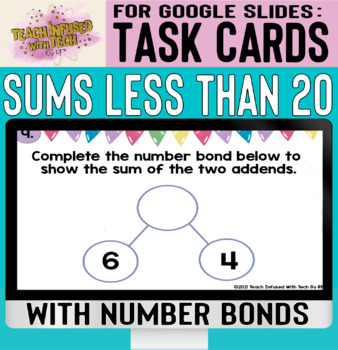
This resource is a set of digital task cards created in Google Slides on the skill of sums less than 20 with number bonds. Targeted to K and 1st grade students.
This deck includes: 20 Digital Task Cards in Google Slides.
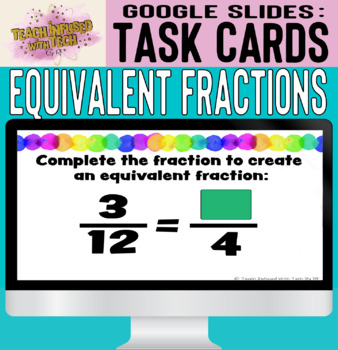
This resource is a set of digital task cards created in Google Slides on the skill of generate an equivalent fraction for the fraction shown. The students are given either the numerator or the denominator for the fraction they are generating. Targeted to 3rd and 4th grades.
This deck includes: 20 digital task cards in Google Slides
This paperless, digital literacy center consists of a two week sample of my making words activity using virtual/digital letter manipulatives. Each activity had a focus pattern for phonics. This is a two week sample resource, however I do have a paid full product that has a full 26-weeks of making words activities! The full resource includes beginning and ending blends, within word patterns as well as affixes (prefix, suffixes).
Google Drawing is not just for drawing! It is far more useful than a drawing tool. You can build worksheets, graphic organizers, infographics and so much more in Google Drawing. Here are 3 things you can do in Google Drawing, that isn’t just “drawing”.
1. To create a resource to print: Change the size of the page to match the paper size. In file, you can change the page set up to 8.5 in by 11 in. Create your design by adding shapes, pictures, text, then download as a PDF.
2. Create Manipulatives to use in other platforms. Insert a picture of the manipulative to the Google Drawing Canvas. Download as a PNG to have a transparent background! Upload the picture into your file to have a movable piece.
3. Create a background for Google Slides/Docs that can’t be moved! When you don’t want anyone to be able to move or edit anything in your background, create it in Google Drawing, and save as a JPEG or PNG image file. Upload the JPEG as the background of your slide or document, then it cannot be changed! You can then upload manipulatives to the Slide as well to create an interactive experience!
Below is a FREEBIE for you I made using this exact process I described above!!
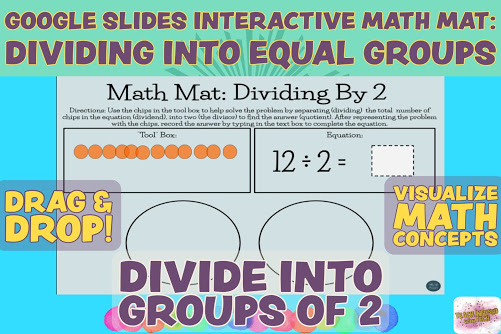
With this resource students will interact with the skill of division into equal groups / Partitive Division using a concrete and visual strategy in order to build to the conceptual understanding of Partitive Division.
This Google Slides resource is excellent for virtual learning, non-traditional instruction or distance online learning situations, but can also be used in person or hybrid. It is a versatile resource that can be used as a math center or station, independent practice or guided / modeled instruction.
The resource includes an interactive math mat with chips to represent the dividend, and a mat with spaces for dividing into equal groups of Two. To Use: Students will have the number of chips in their tool box that represent the dividend. They will drag and drop their chips into the equal spaces show to represent the division. Students can then see how many will be in each equal group. Connections can also be made to multiplication!
Students record their answers into the slides in the provided space. You will receive 20 slide with equations and chips already set up, for a No Prep Digital Slides resource to use with instruction.



 Teach Infused With Tech By: RF